Download on theApp StoreComing soonGET IT ONGoogle PlayComing soon
Features
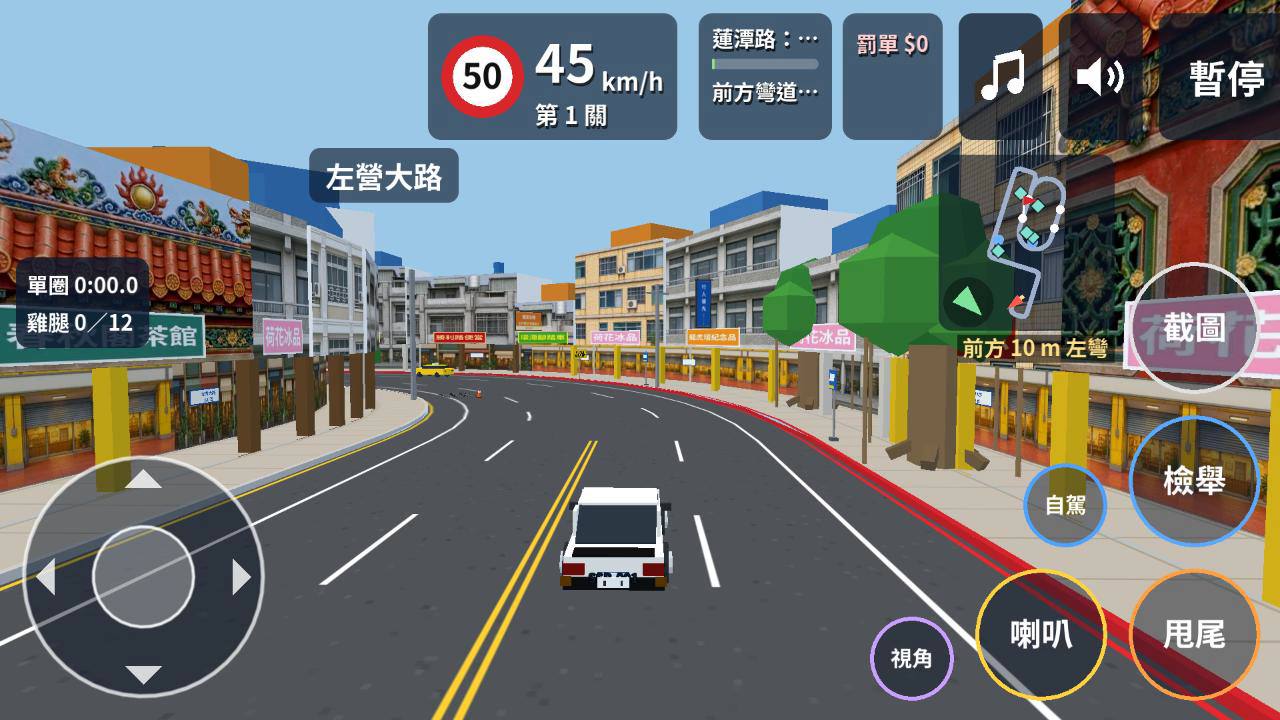
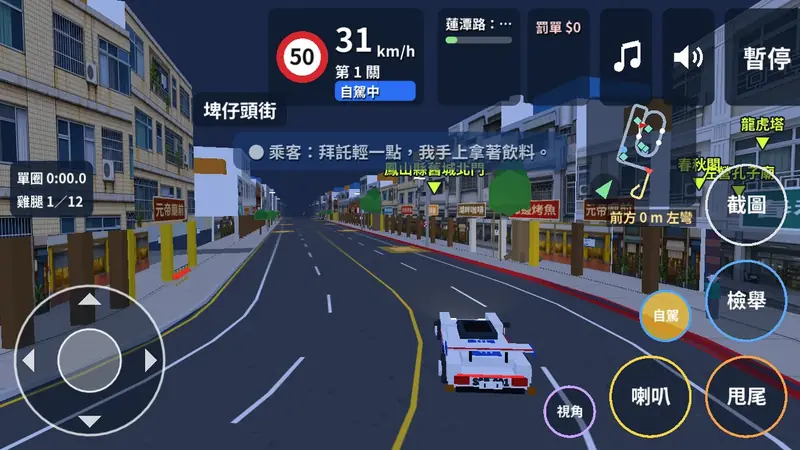
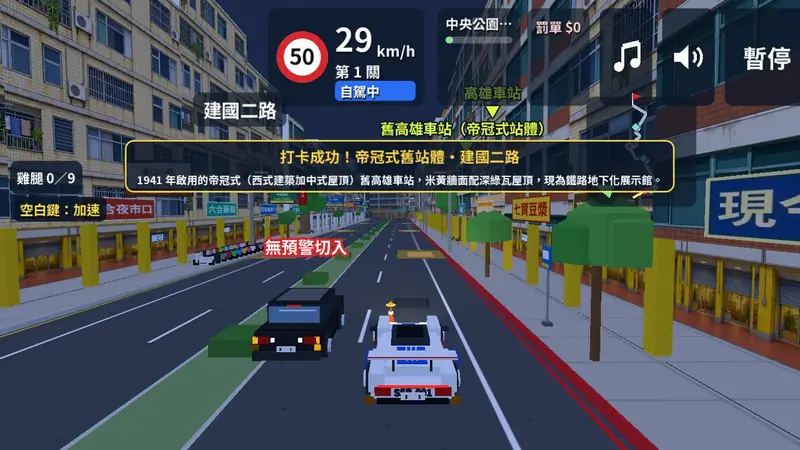
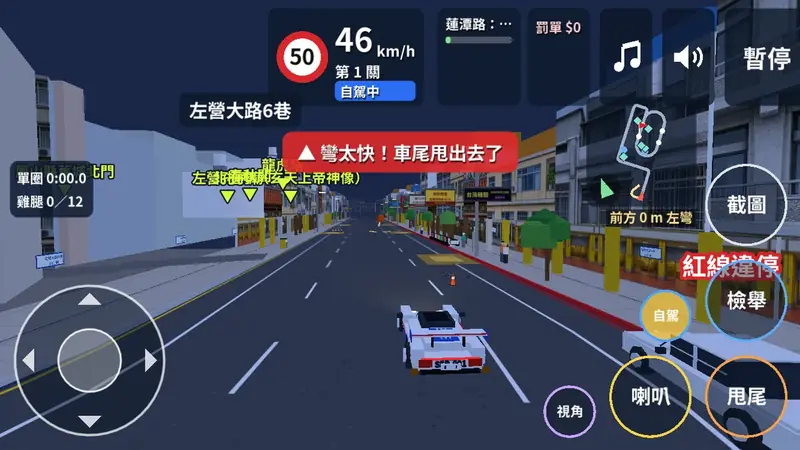
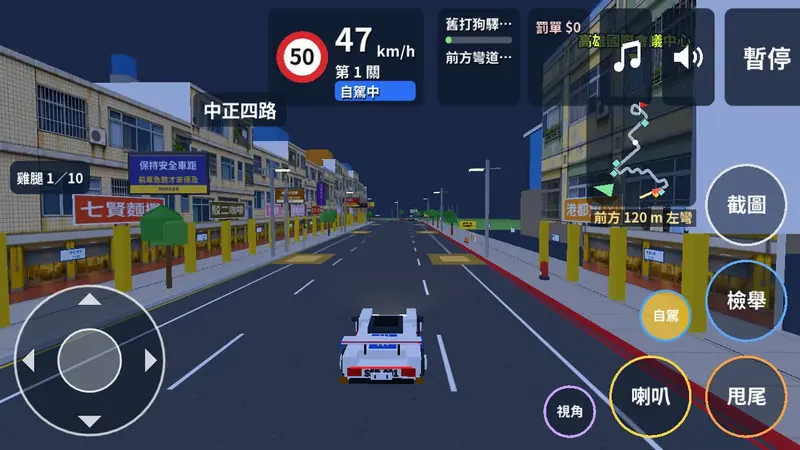
Drive through real street scenes, follow the traffic rules and arrive safely.
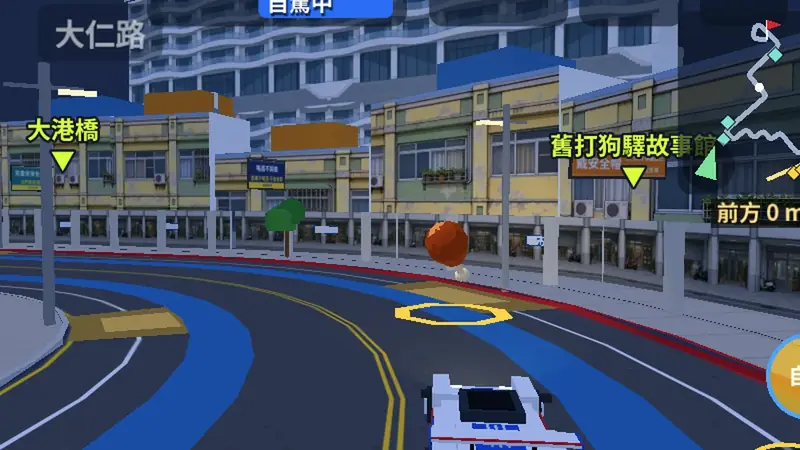
Kaohsiung landmark levels
Lotus Pond, Pier-2, Sizihwan, 85 Sky Tower, the station, Chaishan and Cijin, with landmarks named along the way.
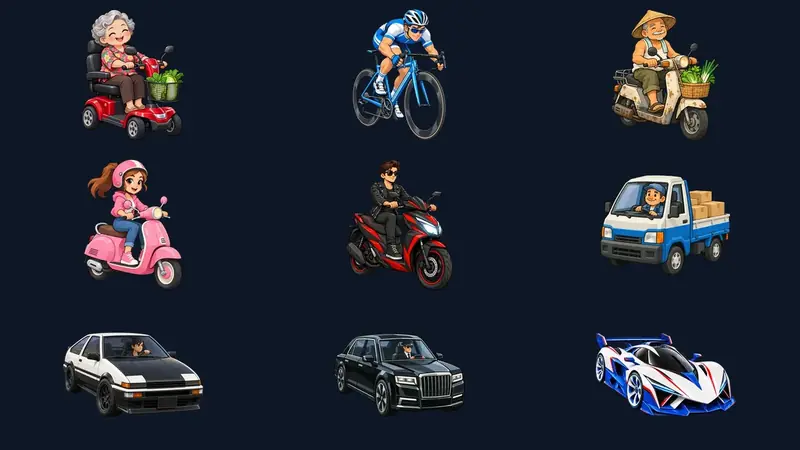
Nine rides to choose from
From grandma's mobility scooter, a road bike and scooters to cars. Each has its own top speed, acceleration and toughness.
Everyday Taiwan streets
Scooters darting out, potholes, garbage trucks, delivery riders and side alleys. Every level has them.
Break a rule, get a ticket
Running red lights, wrong-way driving and stopping on red lines get you ticketed. Fines follow the real road traffic rules.
Collect drumsticks
Every level has drumsticks along the road. Drive steadily to collect more.
Horns, recording and screenshots
Pick a horn sound or import your own recording. Record or screenshot your drive and share it.
Screenshots
Swipe to see more.
Welcome to Taiwan Ace Driver
Kaohsiung landmark levels
Nine rides to choose from
Everyday Taiwan streets
Break a rule, get a ticket
Collect drumsticks
Horns, recording and screenshots
How it's built
A Flutter shell, a Godot game and a Django backend. Phones and the web run the same game code.
Fig. 1System architectureDrag to rotate · Tap a chip for details · ← → switch flowsAccounts, guides · App ⇄ Django
Browser
Godot 4 web build
Level packs
WASM engine
Static hosting (CDN)
Web level packs
Signed config
Django backend
Accounts & deletion
Landmark guides
Config publishing
Play analytics
AdMob settings
Flutter app (iOS / Android)
Flutter
Settings
Sign-in
Level list
Records
3-language UI
Local server
Settings channel
Godot 4 game (in a WebView)
3D road builder
Traffic AI
Ticket system
Audio
HUD
Settings, sign-in, the level list and records live in Flutter. When a level starts, language, graphics and control preferences go to the game over a settings channel, and results come back when it ends.Streets are generated from level data; traffic, pedestrians and rule-breaking drivers are run by traffic AI. Ticket rules live in data files, and phones and the web share the same game code.Handles accounts and account deletion, multilingual landmark guides, and signs level config before publishing it. The app checks the signature before using a download and falls back to the last good version if it fails.The web version has a single level, the Lotus Pond pagodas, playable without installing anything. The level pack has a content hash in its file name and is checked with SHA-256 after download; later visits use the browser cache. The full set of levels is in the app.SystemComponentPart of "%s".
Each large chip is a system and the small blocks on it are its components. Traces connect the systems; the lit trace is the current data flow. Use the buttons or arrow keys to switch; double-click to reset the view.
Flutter shell
Settings, sign-in, the level list and records live in Flutter. When a level starts, language, graphics and control preferences go to the game over a settings channel, and results come back when it ends.
Godot 4 game
Streets are generated from level data; traffic, pedestrians and rule-breaking drivers are run by traffic AI. Ticket rules live in data files, and phones and the web share the same game code.
Django backend
Handles accounts and account deletion, multilingual landmark guides, and signs level config before publishing it. The app checks the signature before using a download and falls back to the last good version if it fails.
Web version: a one-level trial
The web version has a single level, the Lotus Pond pagodas, playable without installing anything. The level pack has a content hash in its file name and is checked with SHA-256 after download; later visits use the browser cache. The full set of levels is in the app.
Quality
Both Godot and Flutter have automated tests, and levels get regression checks and screenshot comparisons. Every fix has to pass the tests before it is merged.
What Flutter gives us across platforms
One Dart codebase builds both the iOS and Android apps, so settings, sign-in, the level list, records and the three-language UI are written once.
Both platforms look and behave the same; one fix lands on both, and one set of tests covers both.
Native features such as AdMob, Firebase, sharing and sign-in have official or mature packages, so we do not write separate Swift and Kotlin code.
Hot reload shows UI changes in seconds, and Flutter has proven itself across several past projects with performance and development speed we are happy with.
Why the game uses Godot instead of three.js or Flutter
three.js only renders 3D; it has no physics, collisions, audio management or scene editor, so vehicle handling, traffic and collisions would all be written from scratch.
Flutter is a UI framework with no built-in 3D scenes, physics or collisions; it suits the app shell, not a 3D driving game.
Godot is a complete open-source game engine (MIT license, no fees or royalties) with built-in 3D rendering, physics, audio, animation and input.
Scenes and scripts are text files that Claude Code can read and write directly and that diff cleanly in git; the game can also run headless for automated tests.
The same game exports to WebAssembly: the app runs it in a WebView and the web version runs it in the browser. The trade-off is tighter performance in a WebView, so low-end phones need lower graphics settings.
Deployment decision: Cloudflare Workers for the site and game assets
The first release of the website and the Lotus Pond web version are all static files, served as Cloudflare Workers static assets with no Worker code. Static asset requests are free and unlimited, with no bandwidth charges. The app and its APIs still use the findmo backend, so web traffic never reaches the backend.
First-release asset sizes (measured 2026-10-15; transfer is after compression)
Asset
Raw size
Transferred
Loaded when
Site HTML, CSS, JS, icons
111 KB
43 KB
Page open
Hero video + poster (desktop 16:9 / phone 4:5)
2.0 MB / 1.6 MB
2.0 MB / 1.6 MB
Page open
6 feature images + 7 screenshots
0.9 MB
0.9 MB
On scroll
3D architecture figure (three.js + chip figure)
619 KB
159 KB
On scroll
Animated background (shaders.com)
2.5 MB
696 KB
Desktop with WebGPU only
Web engine index.wasm
17.1 MB
4.9 MB
On play
Web shared resources index.pck
10.1 MB
6.7 MB
On play
Lotus Pond level pack
3.5 MB
2.2 MB
On play
Other web files (JS, boot image, level data)
1.0 MB
0.7 MB
On play
Each site visit
Full scroll: about 3.8 MB on desktop, 2.7 MB on phones, about 25 requests
First web play
About 14.4 MB and 13 requests; later visits use the browser cache and only check for updates
Workers Free plan limits vs. this site
Item
Free plan limit
This site on Workers
Static asset requests
Free and unlimited
Every request is a static asset
Bandwidth
No extra charge
—
Requests that run Worker code
100,000 per day (resets at 00:00 UTC; error 1027 when exceeded)
0 (no Worker code)
Size of one file
25 MiB
Largest 17.1 MB (index.wasm)
Files per version
20,000
57
Worker CPU time
10 ms per request
Not applicable
Scenarios (about 3.3 MB per visit, half desktop and half phone)
Visits
Requests
Transfer (20% play the web version)
Transfer (everyone plays)
Cost
Verdict
10,000
≈ 280K
≈ 59 GB
≈ 172 GB
0
Free plan is enough
100,000
≈ 2.76M
≈ 593 GB
≈ 1.7 TB
0
Free plan copes; move to the paid plan (US$5/month) before traffic grows
1,000,000
≈ 27.6M
≈ 5.9 TB
≈ 17.2 TB
0 – US$5/month
No charge for requests or bandwidth; move to the paid plan
Cost comparison: 20% of visitors play the web version (per month, USD)
Option
10,000 visits / month
100,000
1,000,000
GCP VM (Premium network, used by the test site)
≈ US$7
≈ US$71
≈ US$663
GCP VM (Standard network)
0
≈ US$43
≈ US$631
Public GCS bucket (direct download)
under US$1
≈ US$60
≈ US$662
GCS + Cloud CDN
≈ US$24
≈ US$72
≈ US$552
Cloudflare Workers (this site) Best
0
0
0 – US$5/month
Cost comparison: every visitor plays the web version (per month, USD)
Option
10,000 visits / month
100,000
1,000,000
GCP VM (Premium network, used by the test site)
≈ US$21
≈ US$199
≈ US$1,727
GCP VM (Standard network)
0
≈ US$167
≈ US$1,625
Public GCS bucket (direct download)
≈ US$9
≈ US$189
≈ US$1,696
GCS + Cloud CDN
≈ US$34
≈ US$173
≈ US$1,357
Cloudflare Workers (this site) Best
0
0
0 – US$5/month
GCP VM
Premium from Taiwan to Asia-Pacific: US$0.12/GiB up to 1 TiB, 0.11 for 1–10 TiB, 0.085 above 10 TiB. Standard: first 200 GiB per month free, then 0.11 up to 10 TiB, 0.075 up to 150 TiB, 0.07 beyond. The VM itself is not included.
GCS
Standard storage in Taiwan (asia-east1): US$0.02 per GiB per month (58 MB here, about US$0.001). Reads: first 50,000 per month free, then US$0.0000004 each. Download to Asia-Pacific: first 100 GiB per month free, then 0.12 up to 1 TiB, 0.11 up to 10 TiB, 0.08 beyond.
GCS + CDN
Cloud CDN to Asia: US$0.09/GiB up to 10 TiB, 0.06 up to 150 TiB, 0.05 beyond. Needs an external load balancer; its forwarding rule costs US$0.025 per hour (about US$18 per month). Cache lookup and cache fill fees are not included.
Source and scope
Unit prices from the GCP Cloud Billing catalog on 2026-10-15. The test site https://app.findmoapp.com/driver/ shares one e2-medium VM with the backend API, so traffic peaks also slow the API.
Assumptions: a visit opens the home page and scrolls to the end; visitors who play also download the game. Risk: Cloudflare’s service terms require paid services (including the Developer Platform) to serve video or a disproportionate share of large files through the CDN, and they do not say whether the Workers Free plan counts, so we move to Workers Paid before traffic grows. Static asset requests stay free and unlimited on the paid plan. index.pck and the level pack are now compressed on Cloudflare, cutting the first web download from about 19.7 MB to about 14.4 MB.
Why the full set of levels ships inside the app
The web version has only the Lotus Pond level as a no-install trial; the assets for every other Kaohsiung landmark level are packaged in the app.
No bandwidth cost for us: the app downloads from the App Store or Google Play, which carry that traffic, and playing a level downloads nothing from our servers.
No waiting to start a level: the assets are already on the phone, so levels open without a network connection and never stall on a loading screen.
The backend only sends small files: the app fetches the signed config and landmark guides; level content updates with each app version after store review.
Running costs: AdMob ads
The app covers running costs, such as servers, the Cloudflare paid plan and store fees, with Google AdMob ads.
Three placements: an app-open ad, a banner at the bottom of the landmark list, and an interstitial when you return to the list after a few levels.
No ads while driving; interstitials have a daily cap and a minimum interval, and the admin panel can change or turn them off at any time.
The web version has no ads; it lets players try the game first and then points them to the app.
Development story
From the first commit to 0.1.0, Claude Code wrote most of the code and tests. A person set the requirements, made the decisions and tested on real devices. The numbers below are generated from git history at build time.
Days of development
Commits
Issues (done / total)
Automated test files
Tools and models we used
VS Code
IDE
The integrated development environment for the project.
Open Bull
Harness plugin
Manages change issues and project documents.
Claude Code
US$200 subscription
Does most of the coding, integration testing and deployment. Mainly runs on Claude Opus; subtasks use Sonnet and Haiku.
Codex
Pro subscription
Mainly generates images: feature art, street elements, billboards and icons.
OpenAI
Audio
Generates voice sound effects such as street-vendor announcements and horn calls.
Milestones
Project baseline: plan, Godot prototype, Flutter shellThis is our first project with Godot. Flutter has been proven across several past projects, and we are happy with both its runtime performance and development speed.
Standalone web build: a one-level Lotus Pond trial
0.1.0 store submission
Workflow
HumanDescribe a feature or a problem in one sentence
AITurn it into issues with current behavior, expected behavior and acceptance criteria
AIImplement each issue on its own branch and add tests
AIRun static checks and automated tests; merge only when they pass
AIDeploy to a test environment and check it for real
HumanMake the calls: the AI writes up each decision as three options with a recommendation, and a person picks
HumanA person plays on real devices and marks problems on screenshots for the AI to fix
AIStore submission and production deploys are done by the AI through the Ego Lite browser; a person types in usernames and passwords
Not fully automatic: product direction, trade-offs and going live are decided by a person.
Who does what: people and Claude Code
Game scenarios and rules: a person sets the overall direction, Claude Code decides the detailed rules, and a person plays the game and files issues as feedback.
Whether sounds are pleasant and the game feels smooth: a person tests this by playing on a phone.
English and Japanese: no native speaker has reviewed them yet; we use the translations from Claude Code for now.
Real-device performance, heat and touch feel: a person tests on real phones, because a simulator can’t measure them.
Store accounts, store consoles and production servers: Claude Code operates them through the Ego Lite browser skill; a person types in usernames and passwords.
Delivery during development is done by Claude Code: branching, testing, merging and deploying, following delivery rules written in CLAUDE.md.
Play in your browser
The web version offers one level, the Dragon and Tiger Pagodas at Lotus Pond. No install; open it in a desktop or mobile browser.
We use Google Analytics to understand how the site is used and improve it. Analytics cookies are set only if you agree; otherwise only anonymous counts without identifiers are sent.